
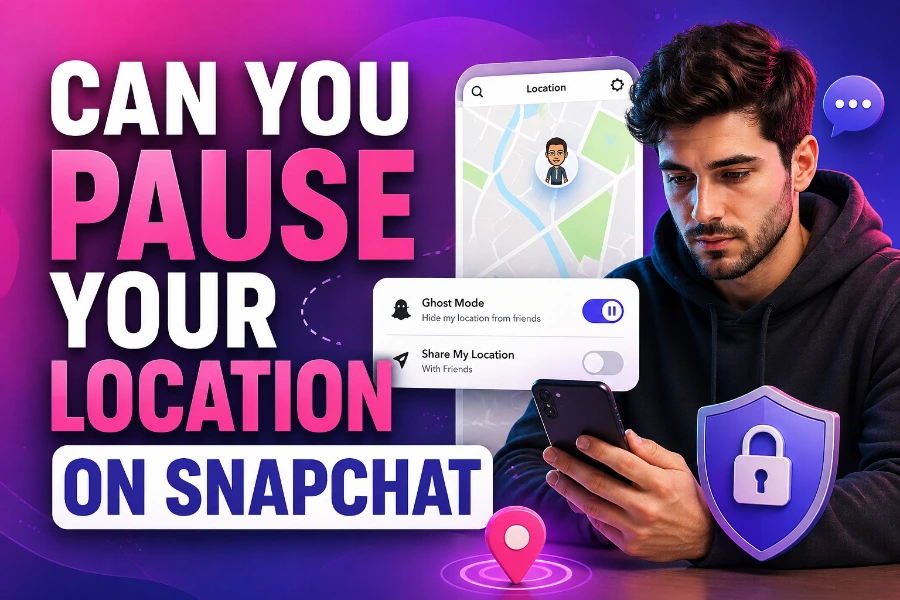
Snapchat’s location-sharing feature, known as Snap Map, is a fun way to keep up with your friends, but it can raise privacy concerns. If you’re wondering whether you can pause your location on Snapchat, the good news is that you have several options.
In this article, we’ll explain how you can take control of your location settings and pause sharing when needed. Whether you’re using Ghost Mode or other privacy settings, we’ve got you covered.
Snapchat Location Sharing
Snapchat allows you to share your location with friends on the Snap Map. However, many users prefer to pause their location sharing for privacy reasons. The platform offers Ghost Mode, which lets you stop broadcasting your location while still using the app. This ensures you can enjoy Snapchat without worrying about constant location tracking.
If you’re using Snapchat for its fun social features but don’t want others to know where you are all the time, turning on Ghost Mode is the most effective way to keep your location private. This feature makes your location invisible to others without affecting your app’s functionality. You can enable Ghost Mode for a set period, making it a flexible option for those who want to pause location sharing.
How to Pause Location Using Ghost Mode
Ghost Mode is Snapchat’s built-in feature to hide your location. By activating Ghost Mode, you will stop your location from being visible on the Snap Map, and no one will be able to track your movements.
Here’s how you can enable Ghost Mode:
- Open Snapchat and go to the Snap Map.
- Tap on your Bitmoji or profile icon in the top-left corner.
- Scroll to the Settings and find the Location section.
- Toggle the switch for Ghost Mode. You can choose to keep it on for 3 hours, 24 hours, or indefinitely.
This method is the most straightforward way to pause location sharing. If you’re worried about constantly appearing on the map, this feature keeps your privacy protected.
Other Methods to Pause Your Location on Snapchat
While Ghost Mode is the most common method, there are other ways to manage your location sharing on Snapchat. For example, you can adjust your phone’s location services, which effectively “pauses” your location without turning on Ghost Mode.
To disable location services for Snapchat:
- Go to your phone’s settings.
- Find Snapchat under location services.
- Toggle the location permission to Never or While Using the App.
This method ensures that Snapchat won’t access your location while using the app, but it also means you won’t appear on the Snap Map. Keep in mind that using this setting might affect other Snapchat features that require location data.
Additionally, using Snapchat story viewer tools can help you view content without revealing your location. These tools can be beneficial if you prefer to stay anonymous while enjoying Snapchat’s features.
How to Pause Snapchat Location Temporarily
For a more temporary solution, consider turning on Airplane Mode. This method is effective for freezing your location while you temporarily disconnect from the internet. When your phone is in Airplane Mode, Snapchat won’t update your location, so you will appear to be at your last known location.
Here’s how to do it:
- Turn on Airplane Mode from your phone’s settings.
- Open Snapchat and use it as you normally would.
- When you’re ready to reconnect, simply disable Airplane Mode.
Although this trick prevents Snapchat from updating your location, it also disables all communication features on your phone, so use it only when necessary.
Managing Location Privacy for Your Friends
Snapchat also gives you the ability to control who sees your location. You can either keep it visible to all your friends, limit it to just a few, or hide it completely using Ghost Mode.
To manage your privacy settings:
- Go to the Snap Map and tap your profile icon.
- From the Location Settings, choose My Friends, My Friends Except, or Only These Friends.
- You can also set a custom timeframe for location visibility, which is ideal for privacy.
This feature gives you more control over who can track you, allowing for a more tailored experience. If you only want close friends to see your location, simply adjust these settings.
Why You Should Consider Pausing Your Location
There are several reasons why you might want to pause your location on Snapchat:
- Privacy concerns: Not everyone wants to be constantly tracked by their friends.
- Battery life: Location sharing can drain your phone’s battery faster.
- Special occasions: You might want to take a break from the app for a while, especially if you’re planning something secret or surprise-related.
Pausing your location can be a simple way to gain more control over your Snapchat experience.
Using Snapchat Without Revealing Your Location
If you want to use Snapchat without worrying about your location, consider using a Snapchat image downloader. This tool allows you to save photos and videos from Snapchat without opening the app. By doing so, you avoid revealing your location while still enjoying content.
Alternatively, you can use Snapchat web viewer tools to browse content without the app updating your location.
Final Thoughts:
Yes, you can pause your location on Snapchat, and there are several ways to do it. Ghost Mode is the easiest and most popular way to stop sharing your location, but you can also use other methods, such as adjusting location services or using Airplane Mode. Whether you’re trying to keep your privacy intact or just want to take a break from being on the map, Snapchat offers several tools to help you do so.
To enhance your Snapchat experience, consider using tools like the Snapchat highlight viewer for viewing content anonymously. By using the right settings, you can maintain control over your privacy without sacrificing the app’s enjoyment.
Remember, privacy is important, and Snapchat gives you the tools you need to protect it. Always review your location settings and adjust them according to your preferences.
FAQs
How can I pause my location on Snapchat?
You can pause your location on Snapchat by enabling Ghost Mode. This makes your location invisible to others on the Snap Map. You can activate it for a set period or indefinitely through your profile settings.
Does Ghost Mode completely hide my location?
Yes, Ghost Mode completely hides your location on Snapchat. When enabled, your Bitmoji will not appear on the Snap Map, and friends will not be able to see where you are, ensuring your privacy.
Can I control who sees my location on Snapchat?
Yes, Snapchat allows you to control who can see your location. You can adjust your settings to share it with all friends, specific people, or hide it completely using Ghost Mode or custom visibility settings.
How do I stop Snapchat from tracking my location?
To stop Snapchat from tracking your location, turn off location services for the app in your phone’s settings, or enable Ghost Mode on Snapchat to make your location invisible to others.
Is there a way to pause my location without Ghost Mode?
You can pause your location without Ghost Mode by turning off your phone’s location services for Snapchat. This prevents the app from updating your location while still allowing you to use Snapchat normally.
Does using Airplane Mode pause my Snapchat location?
Yes, using Airplane Mode effectively pauses your Snapchat location. It prevents Snapchat from updating your location, but be aware that Airplane Mode disables all communications, including texts and calls, until you disable it.
Can I freeze my Snapchat location temporarily?
Yes, you can freeze your location by turning on Airplane Mode or disabling Snapchat’s access to location services. This stops your location from updating without turning off Snapchat, making it ideal for short periods.
How do I adjust who can see my location on Snapchat?
To adjust who sees your location, go to Snapchat’s location settings, select “My Friends,” “My Friends Except,” or “Only These Friends,” and choose who you want to share your location with or keep it hidden.
Does pausing location affect other Snapchat features?
Pausing location through Ghost Mode or disabling location services does not affect other Snapchat features. You will still be able to send snaps, chat, and use other app features without revealing your location.
Can I turn off location sharing temporarily for privacy?
Yes, you can temporarily turn off location sharing by enabling Ghost Mode or adjusting your location visibility settings in Snapchat. These options let you temporarily stop sharing your location without permanently disabling location services.